Built for the storm, not the office
Every capability below exists because a live dispatch engine is running underneath — grouped by where it earns its keep during a storm.
New
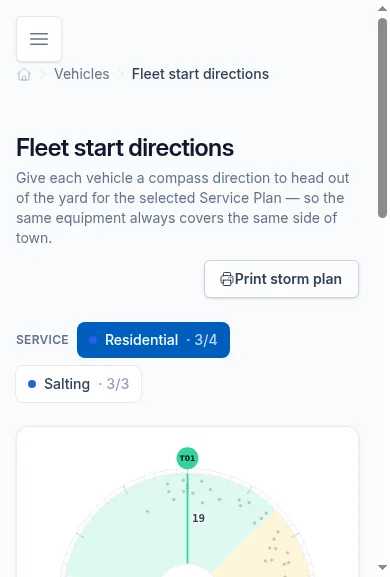
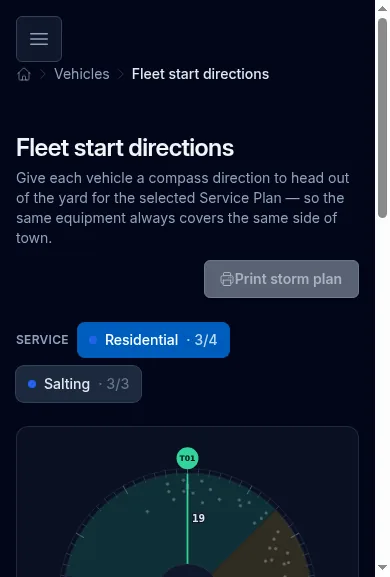
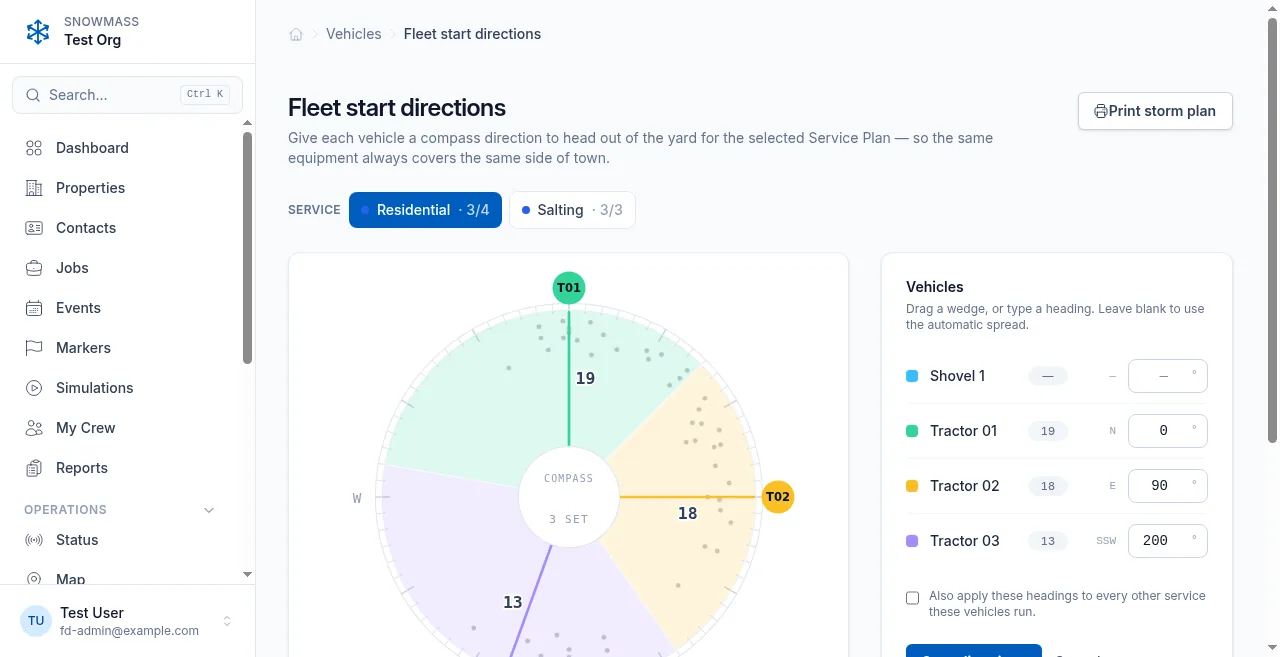
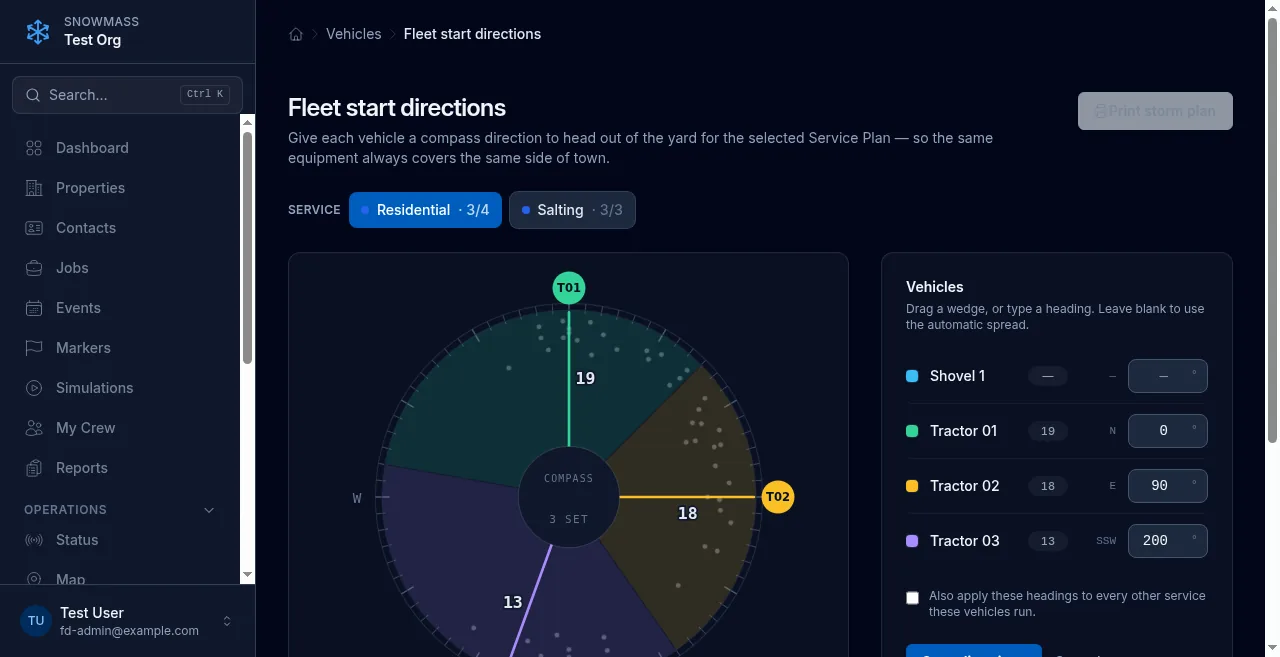
Point each machine at its own side of town
Give each machine a heading and it leaves the yard that way, every storm. Then the swarm takes over.
- Your real properties show up on the dial as dots — aim each machine at where the work actually is, not at an abstract number.
- Snowmass flags a busy direction with no machine pointed at it, and “Balance by workload” evens the load in one click.
- Print a one-page Storm plan for the crew — and it stays fully optional; leave it off and the swarm spreads out automatically, as always.
New this season
Prove it, plan it, share it
Record every storm for analysis, improvement, sharing, or a marketing reel.
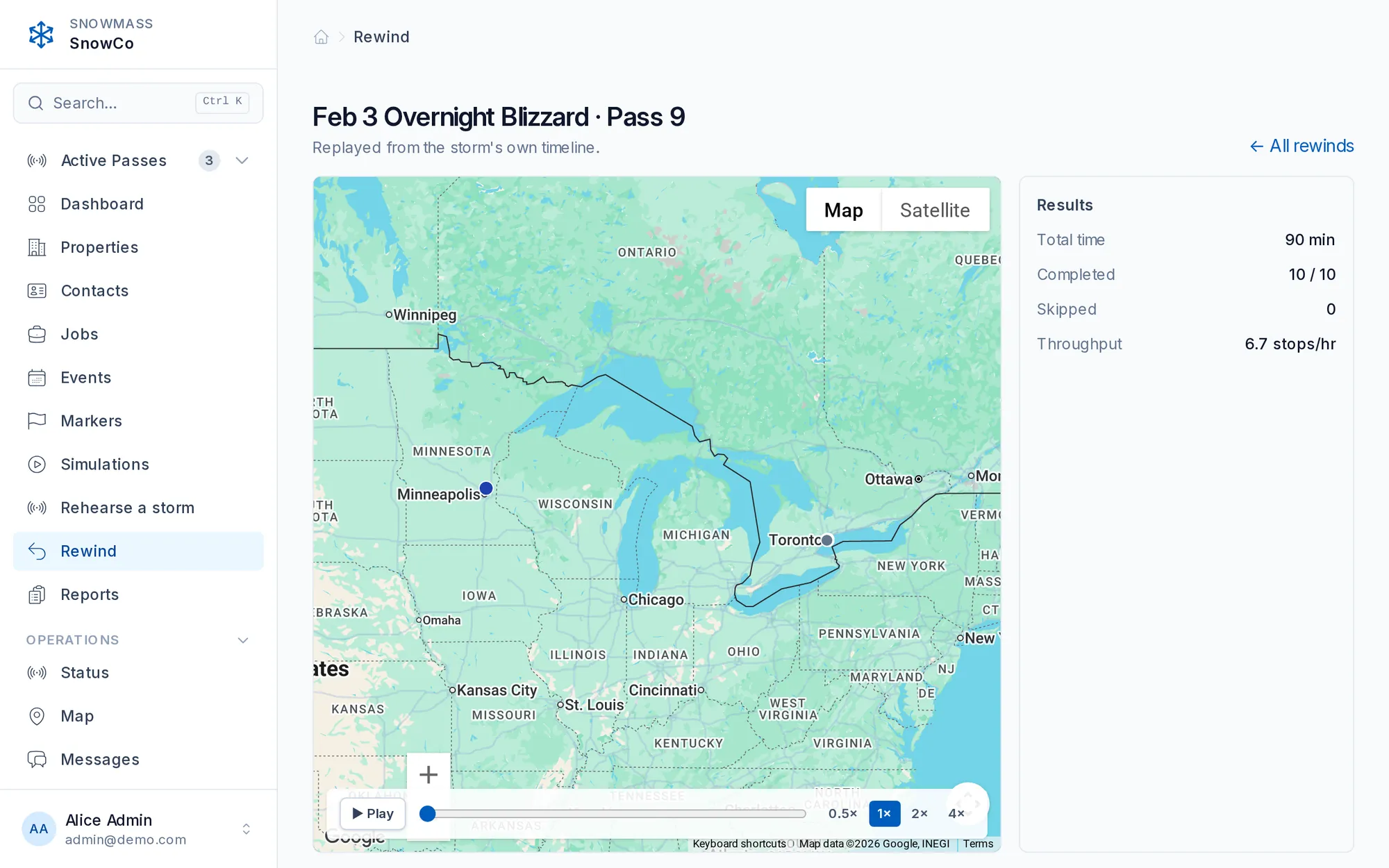
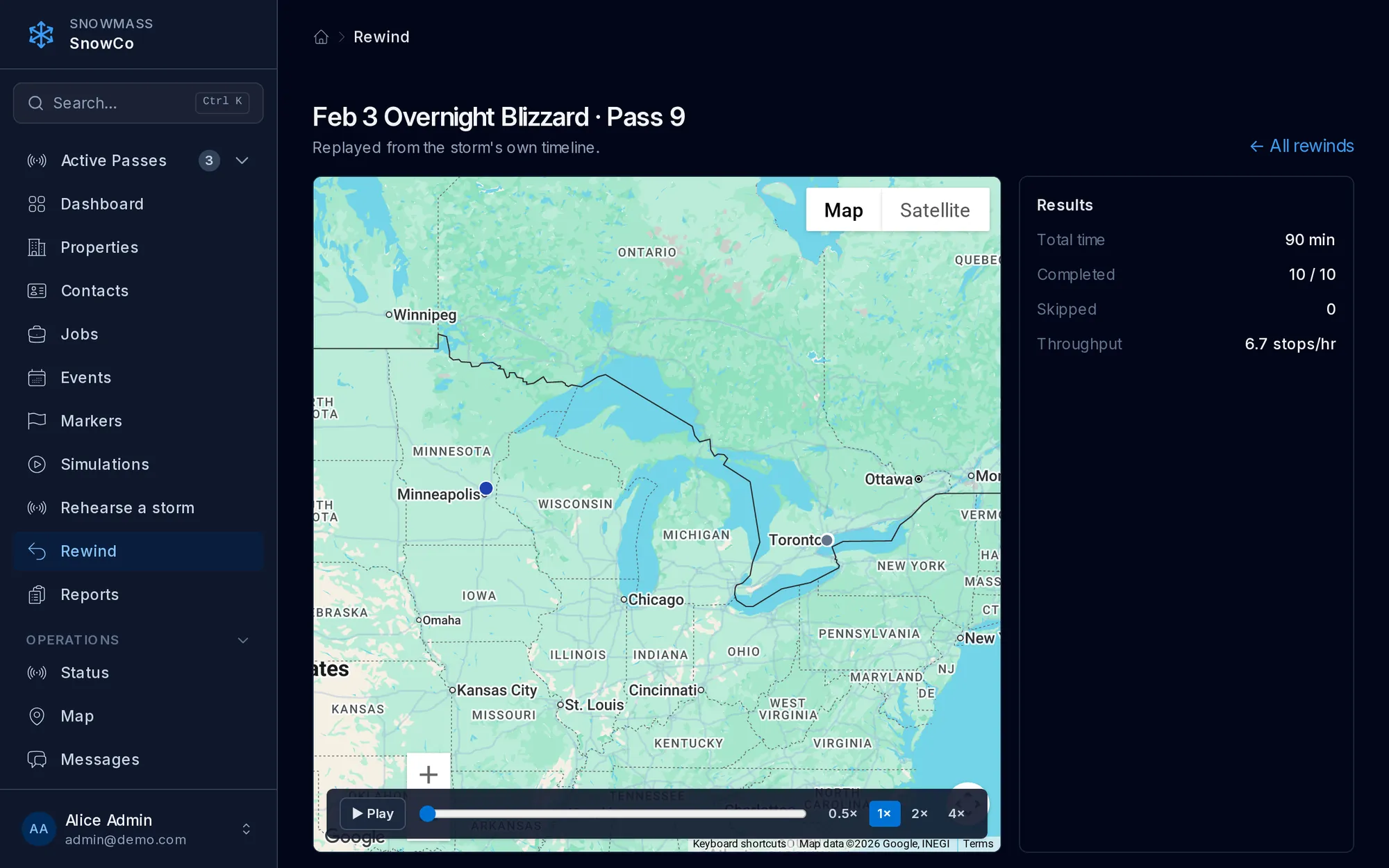
Rewind any storm
Replay a finished storm from its own timeline — no GPS needed, kept forever — and re-run it with a different plan.
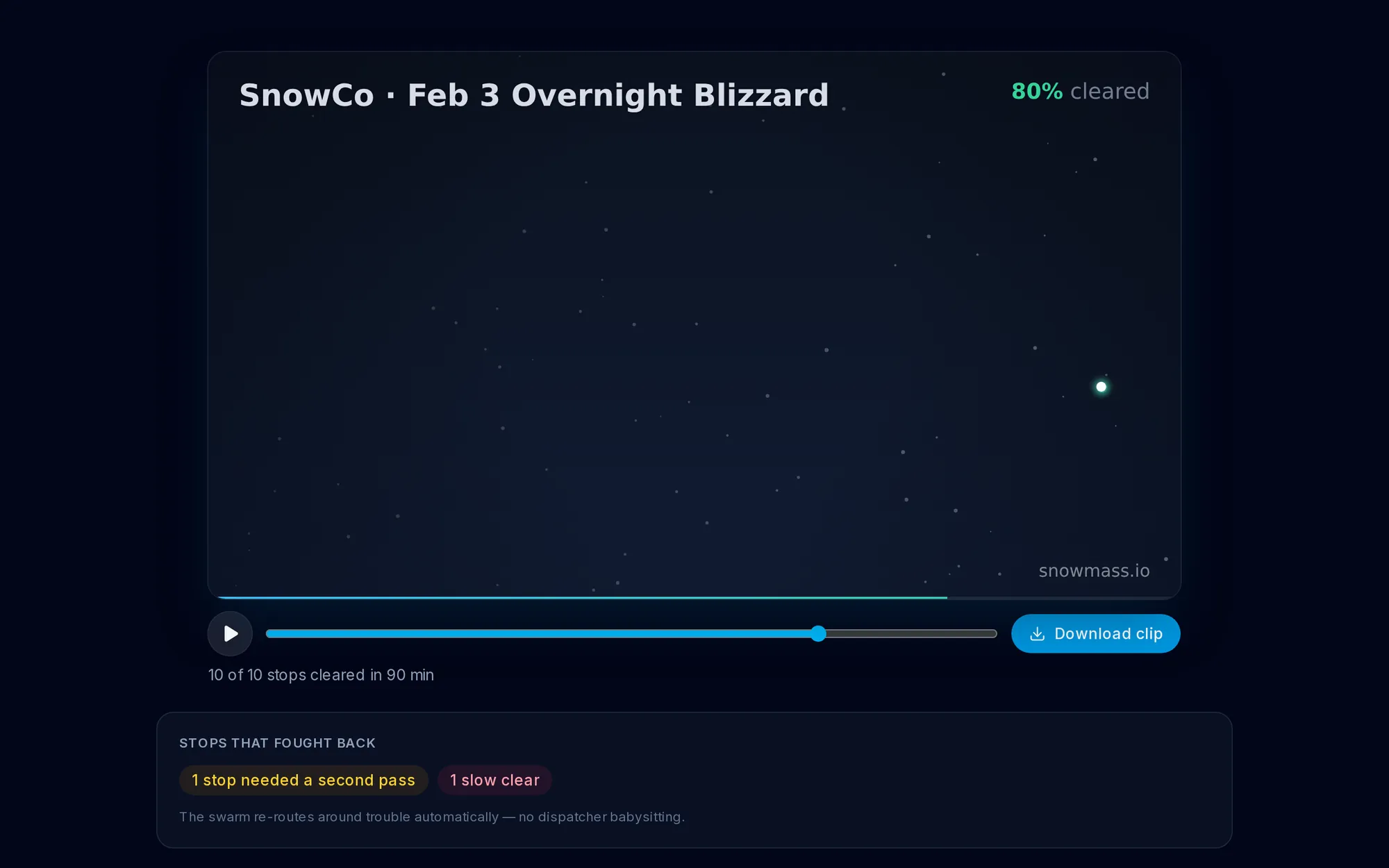
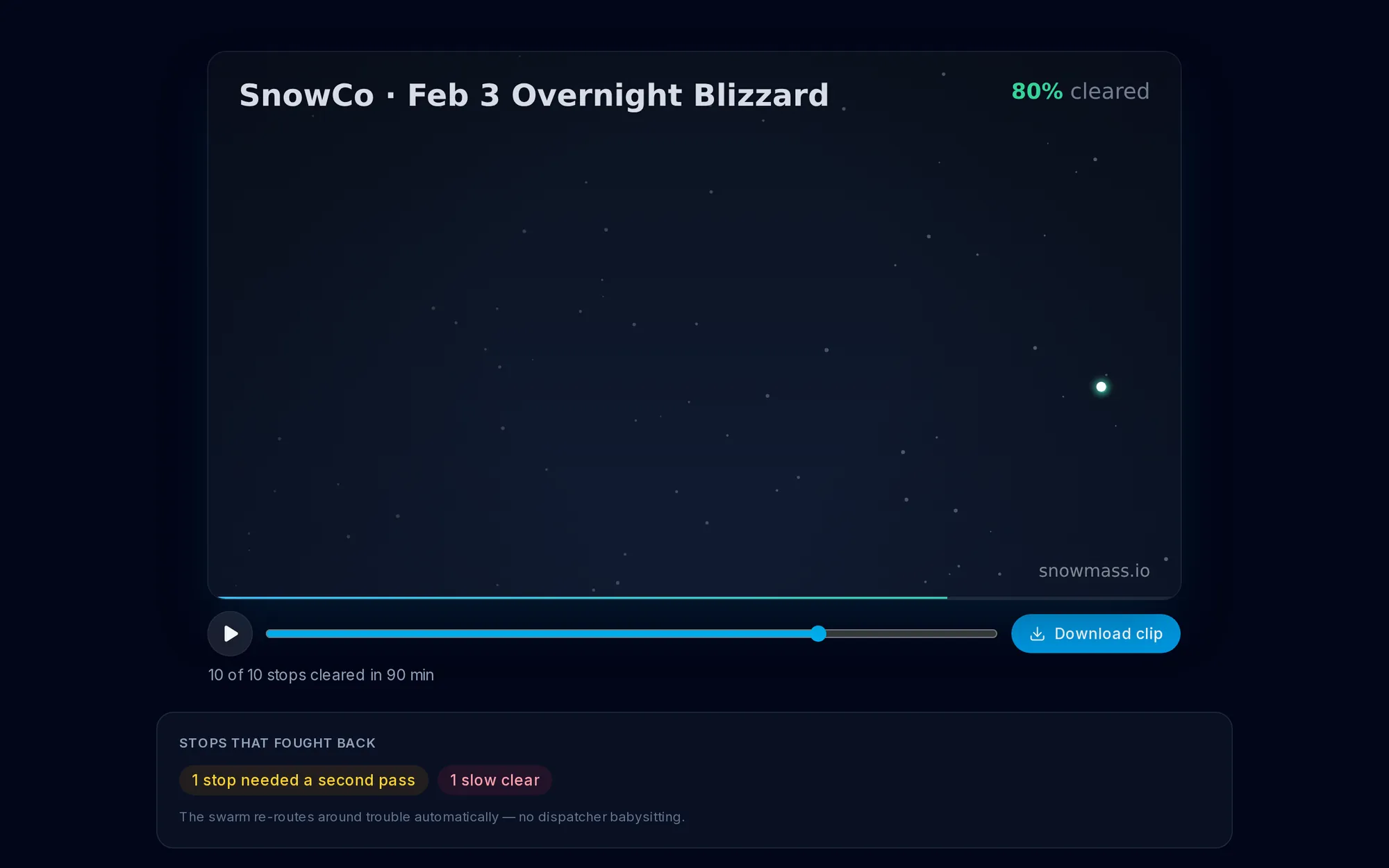
Share a Storm Reel
Turn a cleared storm into a watermarked, shareable animated reel — with a one-tap anonymize mode.
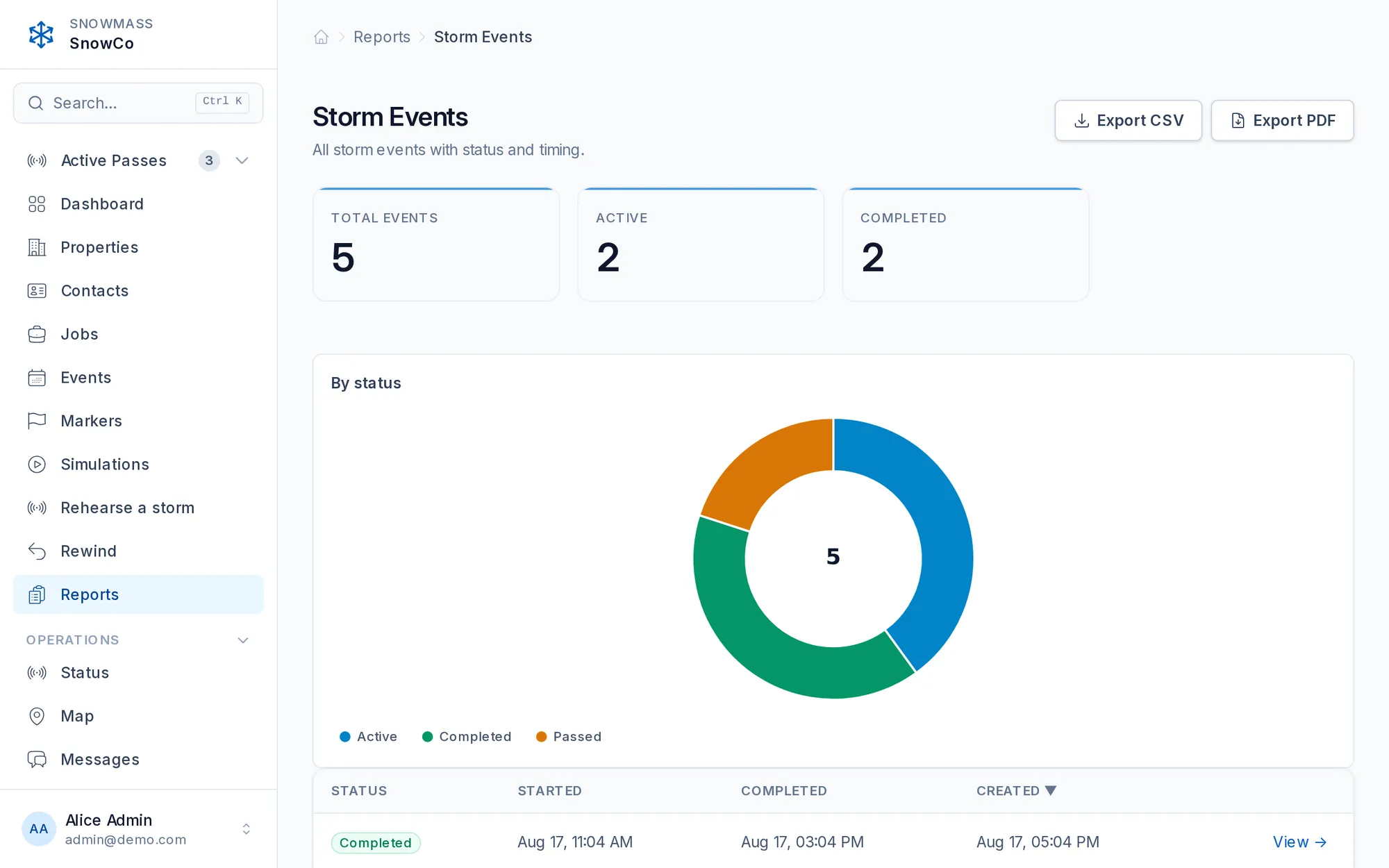
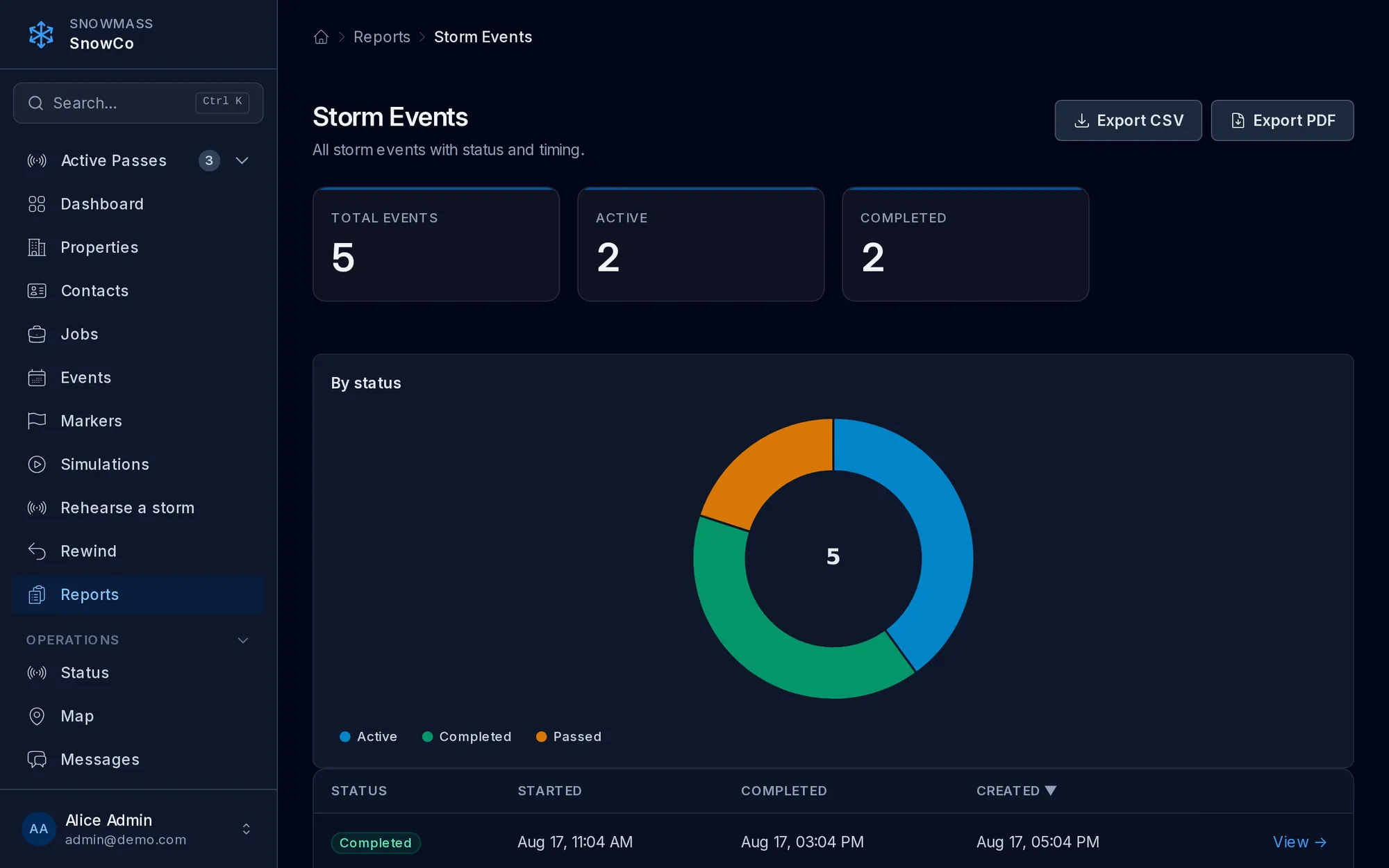
Reports with live charts
Interactive donut, bar, and line charts on every report, with CSV and PDF export.
The dispatch engine
Dispatch that runs itself
There are no routes to draw and no per-operator lists to assemble. Drop your properties on a map once and the swarm scores and assigns every one of them live, from the first flake to the last pass.
Dynamic swarm dispatch
Most software still makes you draw the routes; it just draws them faster. Snowmass never draws one. Every tractor works out its own best next property from where the whole fleet is standing right now, and it works it out again the moment it finishes a stop. Nobody sits down the night before to plan a storm that hasn't happened yet.
More info →No double-booking
Two tractors on the same driveway is a wasted trip, an irritated customer, and a dispatcher on the radio sorting out who goes where. It can't happen here. The moment a vehicle takes a property, that property is locked to it — and if two reach for it in the same second, one gets it and the other is already moving to its next stop.
More info →Fan out from the yard
The first ten minutes of a storm decide the next six hours. Send everyone to their nearest stop and half the fleet ends up on the same three streets. Snowmass pushes the opening moves apart, so equipment leaves the yard covering different corners of your book — or you set the starting directions yourself and it takes over from there.
More info →Point equipment at its own side of town
Some owners want the same tractor on the same side of town every single storm — the driver knows the hills, the customers know the face. Give each vehicle a heading on a simple dial and it leaves the yard that way every time, then joins the swarm for everything after. Set it once, or leave it blank and let the fleet spread itself.
More info →Finish the block before you leave it
The money in dense residential work is in the minutes between driveways, not the minutes on them. Snowmass knows roughly how long each property takes your equipment, and it keeps a tractor working a tight block until the block is done rather than sending it across town for a slightly better stop. Less driving, more clearing, on the same payroll.
More info →Crews don't trip over each other
Nothing frustrates an operator faster than pulling onto a street and finding a colleague already halfway down it. Snowmass leaves the work with whoever is already sweeping that block instead of handing it to a vehicle passing nearby. Your fleet spreads out and stays spread out, and two crews never end up doing the same street twice.
More info →Sweep the storm the way you want it swept
Some books are best cleared from the outside in, some from the middle out, some by whatever is closest. You know which yours is. Pick the pattern and Snowmass shapes the whole storm around it — without you drawing a single route or explaining the plan to anyone over the radio.
More info →Real road times, not straight lines
A property four hundred metres away across a river is not four hundred metres away. Snowmass costs every move on actual driving time over real roads, so the tractor it picks is the one that will genuinely get there first — not the one that looks closest on a map. On a tight book that difference is worth hours a season.
More info →Run the storm before it snows
Buying another tractor is a five-figure decision usually made on a hunch. Build a storm on your real book, set the fleet you're thinking about, and watch it play out — then add the machine and watch it again. You see what an extra vehicle actually buys you in finish time before you spend anything.
More info →Live operations
A command center for the storm
Watch your fleet operate in real time. Send changes, dispatches and adjustments on the fly.
A breakdown doesn't strand the route
It's 2am, a tractor won't start, and on a fixed route that's forty driveways nobody is coming to. Snowmass sees the vehicle has gone quiet and hands its remaining work back to the fleet within minutes, picked up by whoever is closest. No dispatcher re-carving routes over the radio, no phone call from the customer who got skipped.
More info →Rechecks, for the ridge you know is coming
Your operator pulls up and the city plow hasn't been down the street yet — so that entrance is going to get walled in the moment it does. They clear it, flag it, and keep moving. Snowmass holds the property and puts it back in the queue so someone returns for the ridge. If the street has already been plowed, nothing more is coming: clear it and it's done.
More info →Know when you'll be done, hours before you are
“When will you get to me?” is the question every customer asks and no dispatcher can answer honestly. Snowmass watches how fast your fleet is actually moving and projects a finish time from it — all clear around 5:40 — updating as the night goes. You can see who is running behind while there is still time to do something about it.
More info →Send someone home without missing the window
Late in a storm the fleet is often ahead of the work, and every extra hour is fuel and overtime you didn't need to spend. Snowmass tells you when you could release a vehicle and still finish inside your window — release one at 11:20 and you still make it. It hands you the numbers; the call stays yours.
More info →The whole storm on one screen
Most nights a dispatcher is holding the state of the storm in their head and on a whiteboard. Snowmass puts it on one screen instead: who is out, how far along each run is, which vehicles are moving and which have gone quiet. What needs attention is obvious at a glance, and everything else you can leave alone.
More info →Watch the fleet move, live
Every vehicle and every property on one map, updating as your operators work. When a tractor stalls or a street is taking twice as long as it should, you see it the moment it happens rather than in the morning debrief.
More info →Flag the things an operator needs to know
The steep driveway, the low branch, the gate that's always locked, the corner you don't salt. Mark those areas once and every operator sees the warning before they arrive — including the new driver on their first storm, who would otherwise have found out the hard way.
Overrule the fleet when you know better
Sometimes local knowledge beats any algorithm — the tricky corner lot that only one of your operators handles well, the commercial account that has to be done before six. Hold that property for that vehicle and the fleet works around it. You keep the calls that matter and hand over the thousand that don't.
More info →A break doesn't stall the storm
An operator stops for fuel, a coffee, or twenty minutes they've earned. Their claimed properties go back to the fleet so the work keeps moving, but their seat and their vehicle stay reserved. They tap resume and rejoin the storm exactly where it now stands.
More info →Hand the tablet over mid-storm
Shift change at 4am shouldn't cost you the night's record. The incoming operator signs in on the same tablet and picks up the run exactly where it stands — same vehicle, same progress, nothing re-entered and nothing lost.
More info →Turn-by-turn to the next property
New drivers are the slowest part of an early-season storm. Every operator gets directions straight to their next stop on the tablet, so someone who has never worked your book keeps pace with someone who has run it for years.
More info →Customer experience
The people paying you finally know what's happening
Most tools stop at the operator. Snowmass gives your customers a live, credible picture of their service — driven by the real dispatcher — before, during, and after every storm.
Live arrival times, from the real storm
Every snow contractor loses hours a winter to “are you coming today?” Snowmass tells your customers when you'll be there, drawn from where your equipment actually is — not a window someone guessed at in the office. The calls stop, and so does the doubt behind them.
More info →They watch it coming
There is a particular kind of goodwill you get when a customer can see the tractor two streets away. Snowmass shows them their own service arriving, live, on a page that needs no app and no password. It is the cheapest renewal argument you will ever run.
More info →Progress, without exposing the neighbours
Customers want to know where they stand; they don't need to know your route or anyone else's address. Snowmass shows them how the storm is progressing and roughly where they sit in it, and nothing about anybody else. You look organised without handing your book to whoever asks.
One place that answers their questions
Photos of the last visit, the history of the season, what's scheduled next. When a customer calls disputing a service, the answer is already on their screen — which usually means they never call at all.
More info →Live tracking on your own website
Drop one snippet on your site and prospects see a real storm being cleared, live, under your own branding. It sells the operation better than any photo of a tractor ever has.
More info →Proof you showed up, all season
A public log of every storm you've cleared, updating itself. New prospects see how often you were out last winter, and existing customers stop wondering whether they got what they paid for.
More info →Every visit, timestamped and photographed
The billing dispute you can't win is the one you can't document. Every service visit keeps its time, its photos and its notes, so “you never came on the 14th” takes about four seconds to answer.
More info →Turn a good season into public proof
Ask the customer how it went right after a clean visit, when they're happiest, and the good answers become reviews people can find. Word of mouth is how this industry grows; this just makes it visible.
More info →Tell them before they think to ask
A short message when you're on your way and another when the driveway is done. Customers who hear from you don't call the office, and they renew at a rate the ones who don't never match.
More info →Rehearse, rewind, replay
Prove it & plan it
Because dispatch is a real engine, every storm can be rehearsed before it lands, replayed after it clears, and pace-checked while it runs. All of it is advisory and sandboxed on throwaway copies — nothing here ever touches a live storm.
Rehearse on your real book
Before the season starts, run a full storm on your actual properties with your actual fleet. New dispatchers learn the system on a night that doesn't count, and you find out what your current equipment can really cover while there's still time to hire.
Replay any storm you've run
Every storm is recorded and kept. Play it back to settle a dispute, to show a new operator what a good night looks like, or to work out why the third of February took two hours longer than it should have.
More info →Race this storm against your best one
Put tonight's run beside your fastest comparable storm and watch them side by side. Where you fell behind is usually obvious within a minute, and it's almost never where anyone guessed.
More info →A clip worth showing people
Turn a finished storm into a short shareable reel — the fleet moving, the book filling in. It's the marketing asset nobody in this industry has, generated from work you already did.
More info →Crew & communication
Mobilize the crew, then keep everyone in sync
The storm starts before the first flake. Snowmass helps you line up who's working, then keeps dispatch and operators talking all the way through.
Find out who's in, before the storm
The worst time to learn a driver isn't coming is when the snow starts. Send one question to the whole crew the day before — are you in for this one? — and watch the answers land. You know your real headcount while you can still do something about it.
More info →Confirm who's actually showing up
Saying yes on Tuesday and turning up at 3am on Thursday are two different commitments. Ask the crew to confirm for a specific storm and see, in one list, who has and who hasn't — before you're counting vehicles in an empty yard.
More info →Call it off once, for everyone
The forecast turns and suddenly you're making eleven phone calls at ten at night. One message stands the whole crew down, and nobody drives in for a storm that didn't arrive.
More info →Reach any operator without the radio
Radios don't reach across a service area, and a phone call takes a driver's hands off the controls. Message any operator directly on the tablet, and they answer when it's safe to. Every exchange is kept with the storm it belongs to.
More info →One message to the whole fleet
The plows changed the plan, or the salt shipment is late, or everyone needs to know about the ice on Rue Principale. One tap, everyone sees it, nobody has to be tracked down individually.
More info →Every conversation, kept with its storm
Messages don't disappear into a group chat nobody scrolls back through. Each storm keeps its own thread, so what was said and when is still there in March when somebody asks.
More info →Damage documented on the spot
A clipped garage door reported three days later costs you the argument and sometimes the customer. Your operator photographs it before they pull away, and it's on the record with the time, the property and the vehicle attached.
More info →Know exactly what you laid down
Salt is one of your biggest variable costs and usually one of your least measured. Operators log what they applied, property by property, so you can bill accurately, order accurately, and see which routes are eating your material.
More info →Platform
Built to hold up under a storm
The unglamorous foundations that keep a live operation trustworthy — offline resilience, bilingual from day one, compliant messaging, and an append-only log of staff access and impersonation.
The numbers that decide your season
Cost per property, minutes per driveway, how many storms you ran and what each one took. The figures that tell you whether this winter made money — and which routes are quietly losing it — instead of finding out at tax time.
More info →It keeps working where the signal doesn't
Rural roads and underground garages don't have coverage, and that's exactly where your operators are. The tablet keeps recording completions, photos and material logs while offline, and everything syncs the moment signal comes back. Nothing is lost in a dead zone.
More info →Fully bilingual, both directions
Every screen your crew uses and every message your customers receive, in English or Quebec French. Your operators work in the language they think in, and your customers hear from you in theirs — without you translating anything by hand.
More info →Messaging that won't get you in trouble
Texting customers is regulated, and the penalties are real. Snowmass holds messages outside reasonable hours, honours every opt-out permanently, and keeps the record of who agreed to what. You get the benefit of customer messaging without becoming the 3am text nobody consented to.
More info →You can always show what happened
Every stop carries who cleared it and when, with the photos taken on site, and a property that moves to a different vehicle mid-storm is written down with the reason. Any time our own staff open your account, that lands in a log nobody can edit or delete — us included. The day a customer, an insurer or a lawyer asks, you have the answer.
More info →Answer any question in two clicks
How many visits did that condo association get in January? Which vehicle ran the most hours? Pull it yourself, export it, send it. No waiting on anyone and no rebuilding a spreadsheet every month.
More info →Bring your whole book across at once
Switching software usually means someone re-typing four hundred addresses. Upload the spreadsheet you already have and Snowmass places them, finds the coordinates, and has you ready to dispatch the same afternoon.
Your book stays yours
Your properties, your customers and your rates are walled off from every other company on the platform. Nobody else can see your book, and you can't see theirs — enforced in the system, not promised in a policy.
More info →One login across everything
Sign in once and you're into every Snowmass tool. One less password for a crew that already has too many.
More info →No passwords to forget at 3am
Operators sign in with a code sent to them, not a password they wrote on the visor. Nothing to reset in the middle of a storm, and nothing to leak when a tablet goes missing.
More info →Side by side
Snowmass vs. manual route-building
Eight moments winter throws at every fleet — and what each approach does with them.
Getting started
Legacy static routes
Hand-build every route, property by property, with endless clicking — before the storm even starts
Snowmass swarm
Drop your properties on a map once; the fleet assigns itself from the first flake
A driver doesn't show
Legacy static routes
Their whole route is late; the dispatcher re-carves it by hand over the radio
Snowmass swarm
Their properties flow to the rest of the swarm automatically — no one re-plans
Reworking mid-storm
Legacy static routes
Every change means hand-editing a fixed list while the storm runs
Snowmass swarm
Nothing to edit — the swarm re-optimizes the whole fleet every few seconds
A machine breaks down
Legacy static routes
Downstream stops stall until someone manually re-routes them
Snowmass swarm
Its work is released and re-claimed within minutes, automatically
Add a customer mid-season
Legacy static routes
Rebuild the affected routes to fit the new property in
Snowmass swarm
Just add the property — there's no route to redraw
A plow re-buries an entrance
Legacy static routes
A static list can't even express it; the property is quietly missed
Snowmass swarm
The operator flags it and the swarm sends someone back after a cooldown
Customer experience
Legacy static routes
A live map, at best — the customer still guesses at timing
Snowmass swarm
Live ETAs from the real dispatcher, before/during/after updates, and a portal
Proof and reporting
Legacy static routes
Photos and notes, gathered and exported by hand
Snowmass swarm
Every visit, material, and incident logged automatically and exportable to CSV or PDF
Ready before the next storm
Run a simulation scaled to your fleet, or talk to the team about the season.